Now Available for Mac & Windows

Your WhatsApp Chats,
Beautifully Preserved.

A native desktop app that lets you view, search, and export your WhatsApp chat backups — just like the original WhatsApp experience, but on your Mac or PC. Completely offline. Completely private.

100% Private Works Offline Instant Setup Free to Try
🛡️

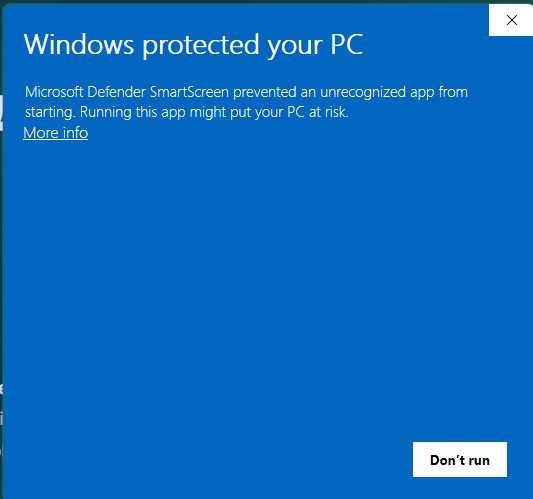
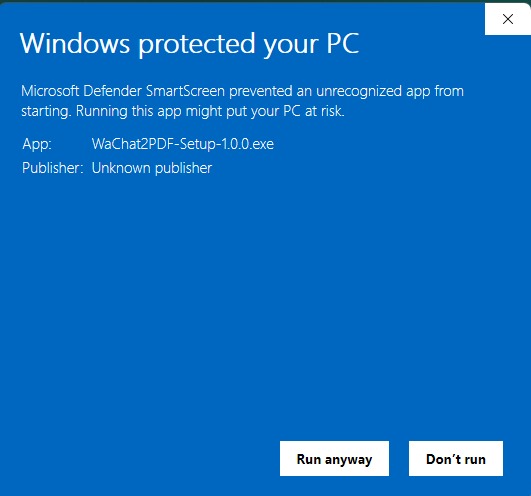
Windows users: Windows may show a SmartScreen warning during install — this is normal for new apps not yet listed on the Microsoft Store. Click "More info" → "Run anyway" to proceed. See step-by-step guide ↓

WaChat2PDF Desktop
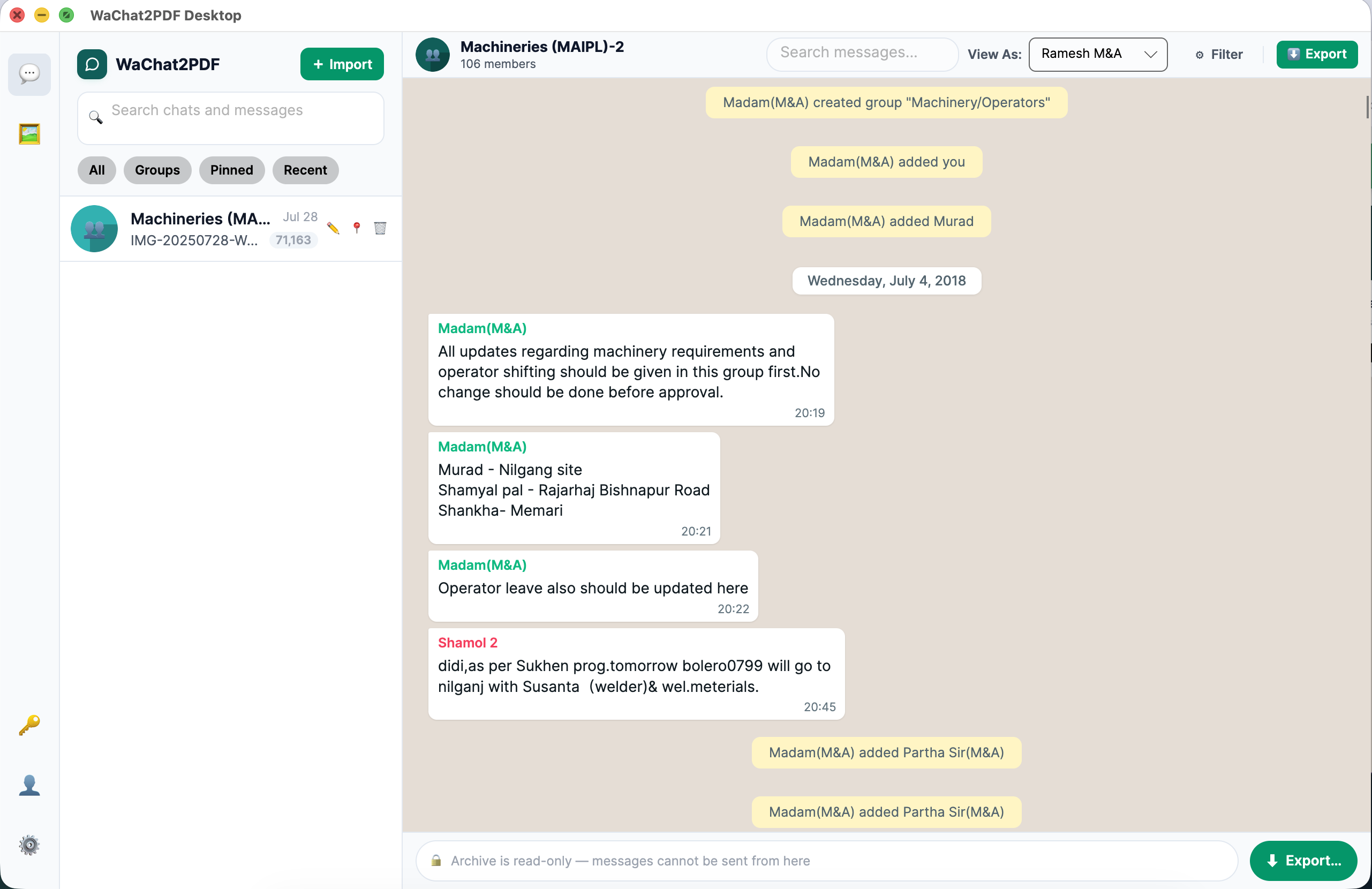
WaChat2PDF Desktop App
Blazing Fast
100k+ messages
Fully Offline
No cloud upload
100k+
Messages Supported
3
Export Formats
2
Platforms (Mac + Win)
0
Data Sent to Cloud
Core Features

Everything you need.
Nothing you don't.

Built for people who care about their conversations — lawyers, journalists, families, and anyone who wants to preserve their chats forever.

WhatsApp-Authentic Viewer
Experience your chats exactly as they appeared in WhatsApp — proper bubbles, timestamps, date headers, and inline media previews in a native desktop window.
Drag & Drop Import
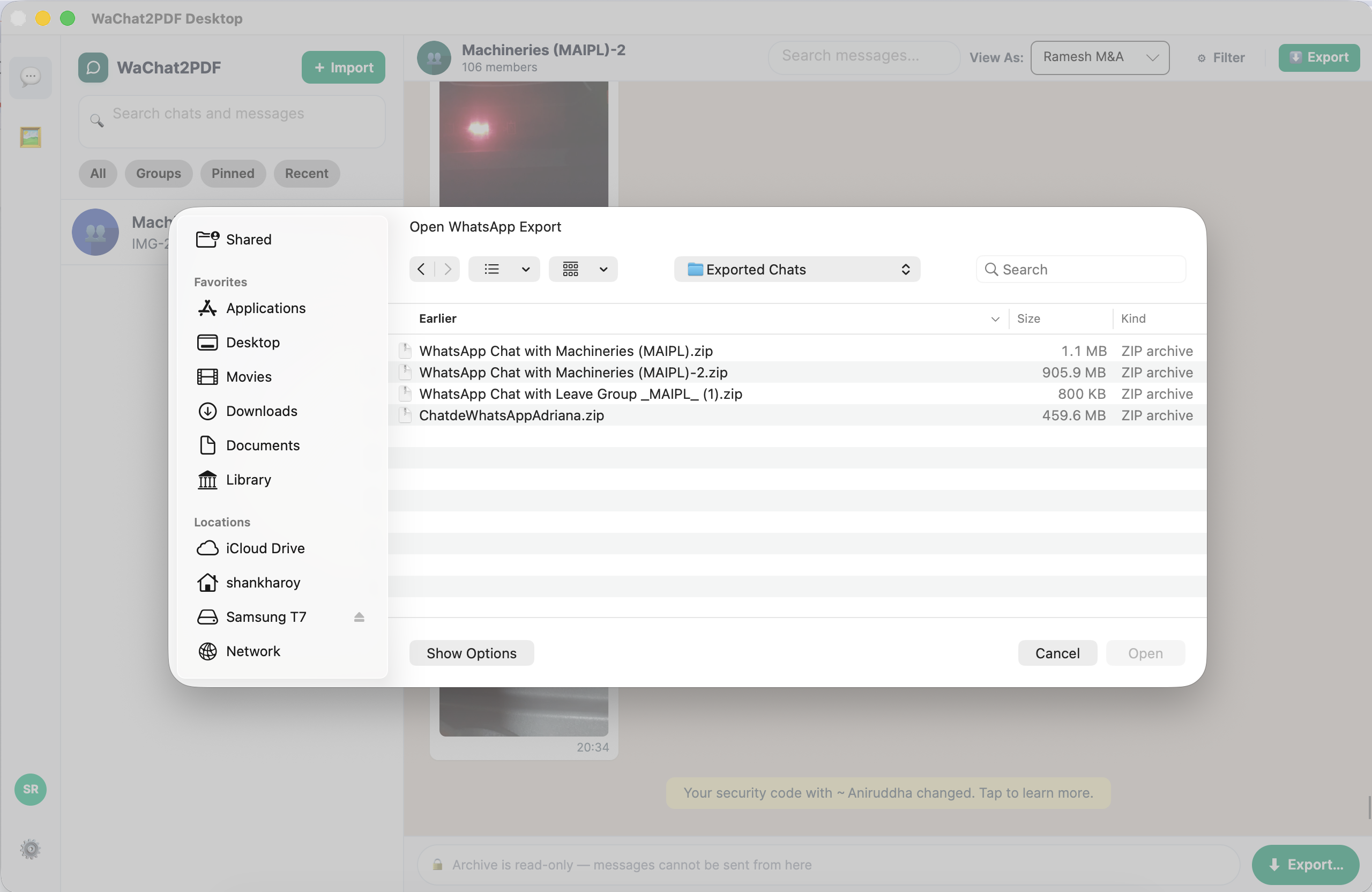
Drop your WhatsApp export ZIP or TXT file directly into the app. Supports both Android and iOS export formats. Automatic media extraction.
3 Export Formats
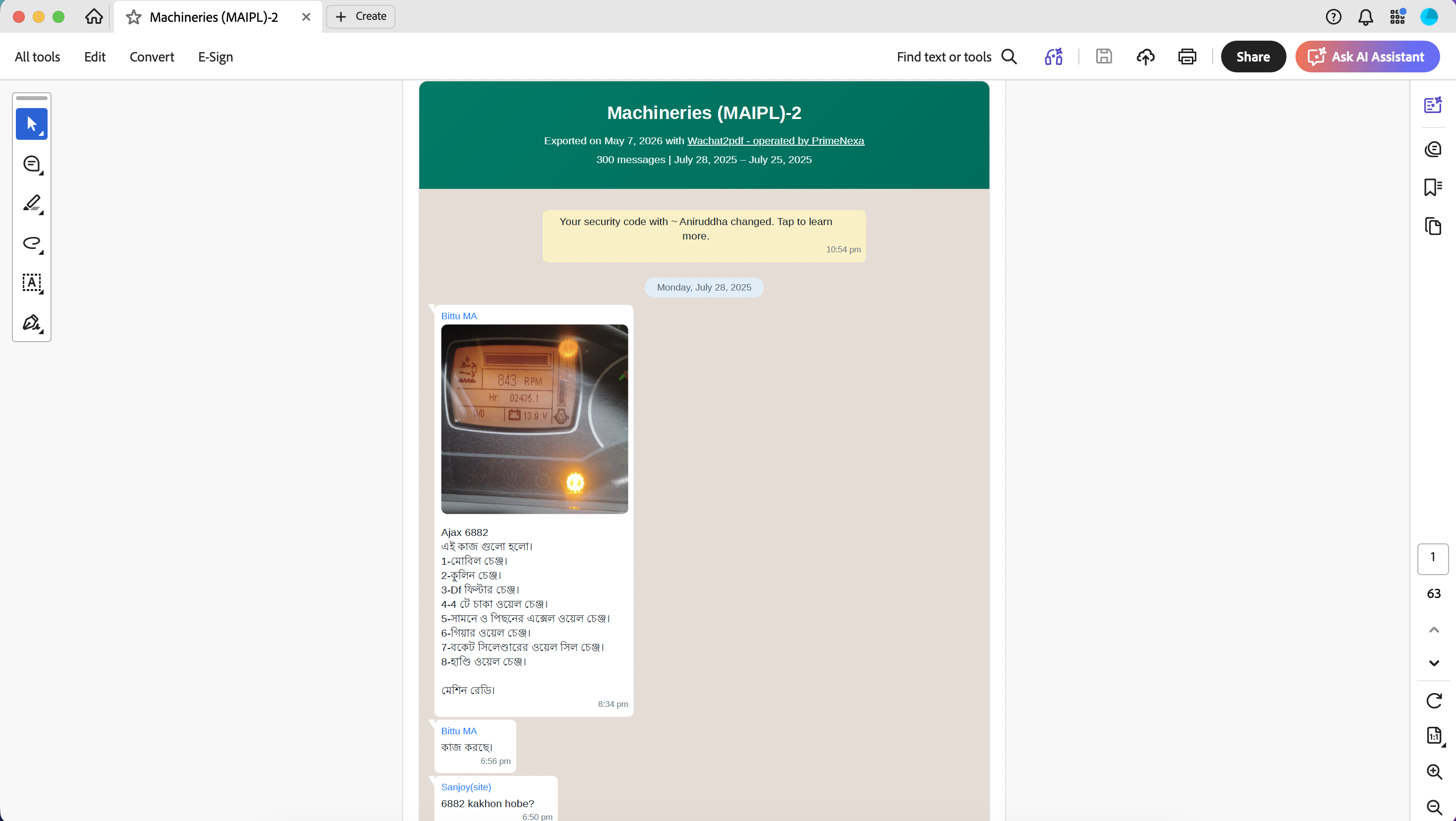
Export to PDF, standalone HTML with media folder, or single-file MHTML with all media fully embedded — choose what suits you best.
Full Media Support
Photos, videos, voice notes, documents, stickers — all rendered inline inside the chat. Click any media to preview it full screen.
Dark Mode
Easy on your eyes. Toggle between WhatsApp's classic light mode and its authentic dark theme with a single click.
Offline & 100% Private
Your chats never leave your device. The app runs entirely offline for viewing. No account required. No cloud storage. Ever.
Search & Filter
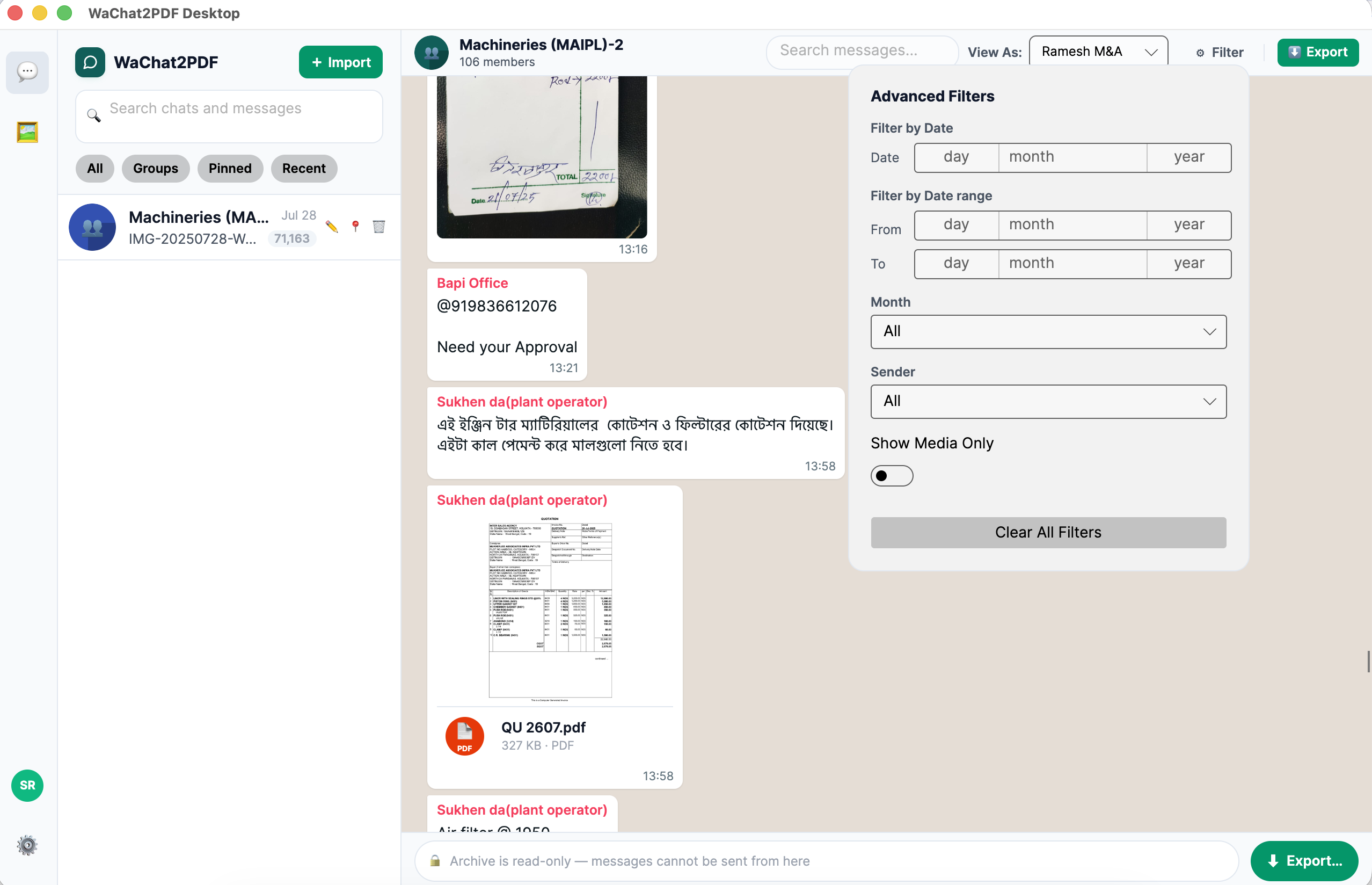
Text search within any open chat, plus advanced filters — narrow by date, sender, or media. Filter results carry directly into export.
Multi-Chat Sidebar
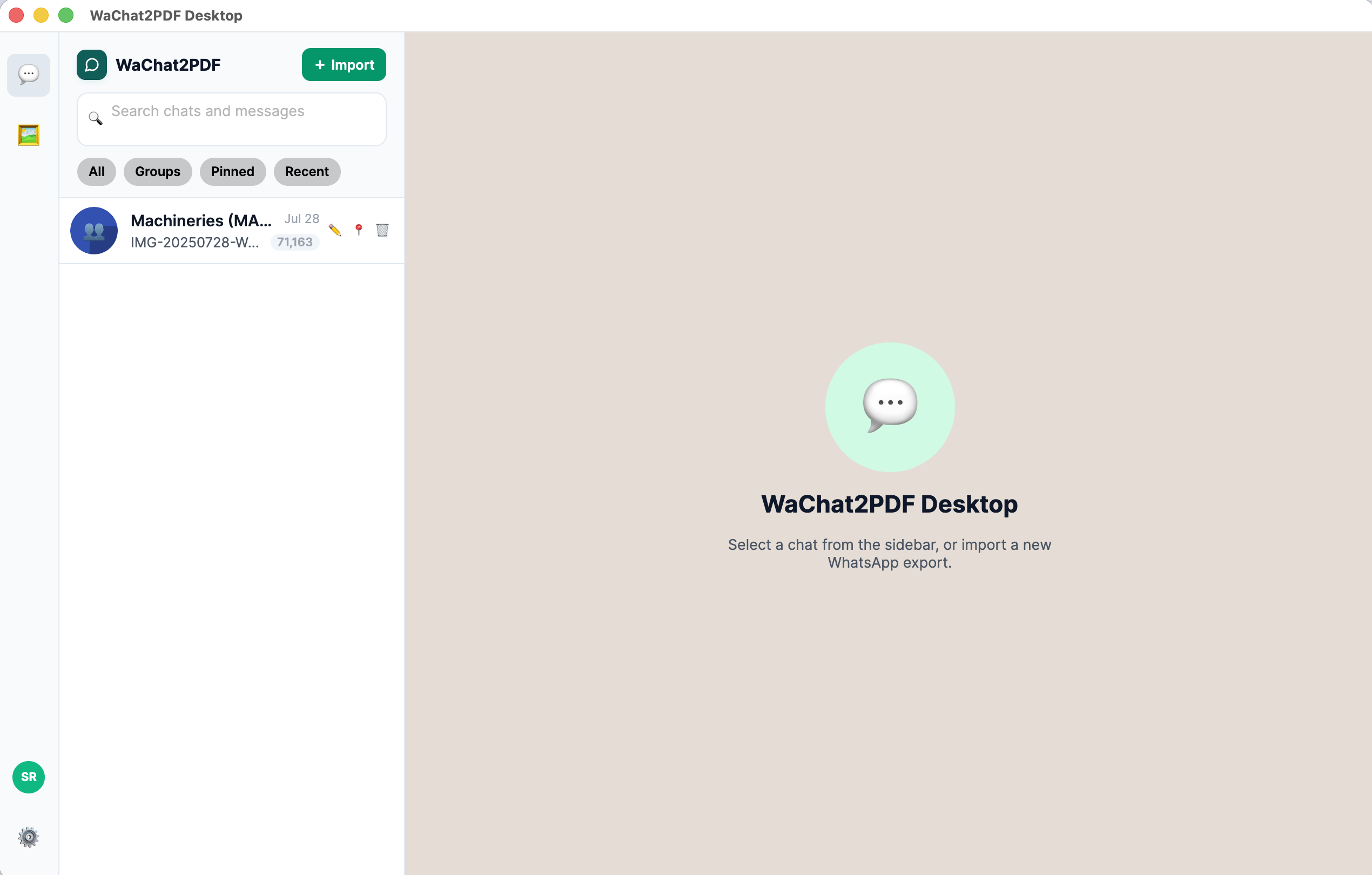
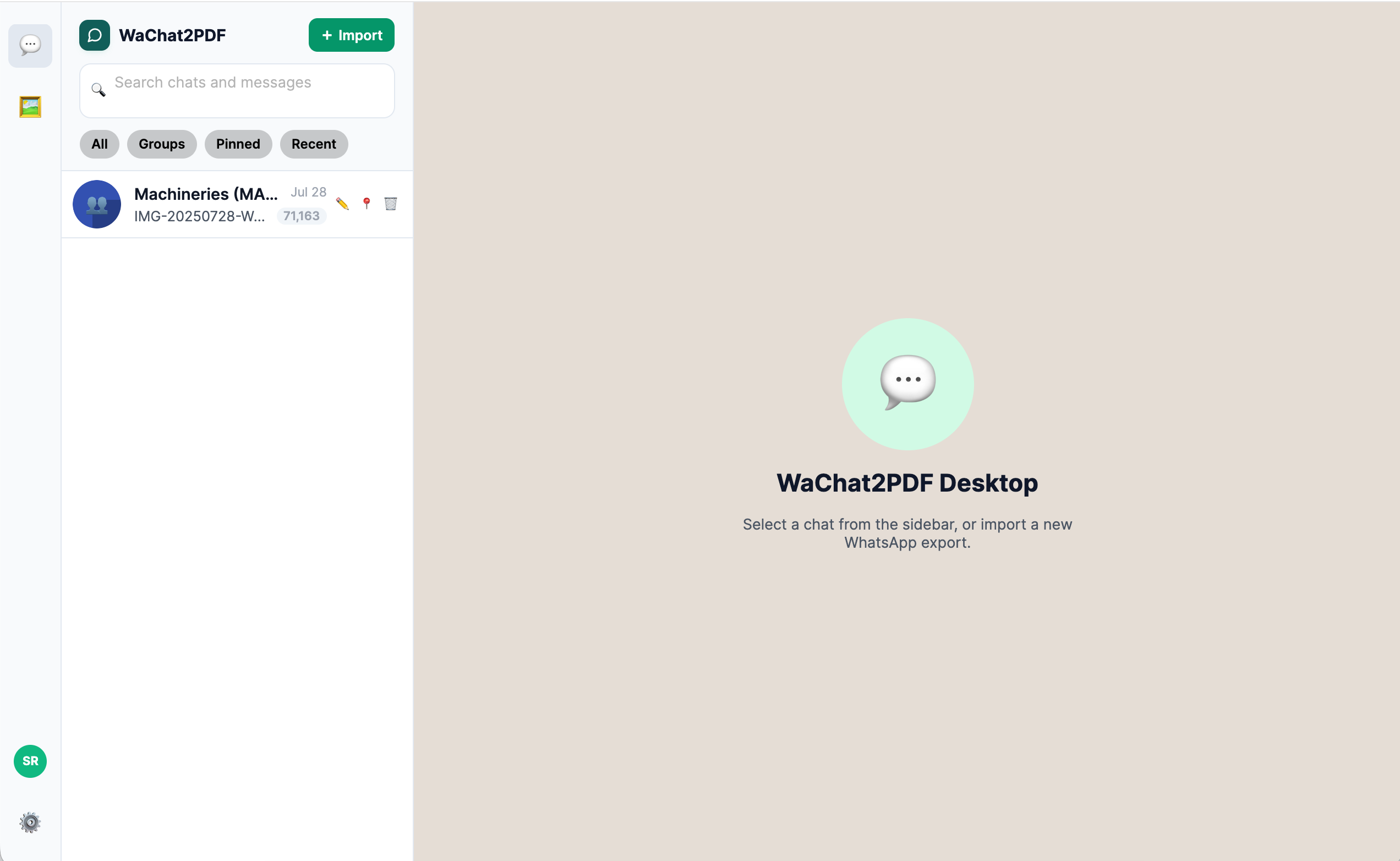
Import and manage all your WhatsApp chats in one place. The sidebar shows contact names, last messages, and timestamps — just like WhatsApp.
Lightning Performance
Built with UI virtualization — smoothly handles chats with 100,000+ messages without any lag or memory issues.
WhatsApp chat viewer
Authentic Experience

Reads like WhatsApp.
Feels like home.

We rebuilt the WhatsApp chat interface from scratch as a native desktop app. Every bubble, every timestamp, every tail — pixel-perfect and familiar.

  • Incoming & outgoing bubbles
    Colored exactly like WhatsApp — green for you, white for others.
  • Timestamps on every message
    Date headers, delivery time, and system notifications displayed naturally.
  • Both Android & iOS formats
    Automatically detects and parses your export format regardless of phone type.
Smart Import

Drop it in.
Done in seconds.

No complicated setup. Export your chat from WhatsApp, drag the file into WaChat2PDF Desktop, and your entire conversation history — with all media — is instantly ready to browse.

ZIP Files
With photos, videos & audio
TXT Files
Text-only exports
How to export from WhatsApp
Open any chat → tap the three-dot menu → "More" → "Export chat" → choose "With media". That's it!
Drag and drop import
Sidebar and search
All Chats in One Place

Your entire chat
history. Organized.

Import as many chats as you want. The sidebar keeps them all organized with filter tabs — All, Groups, Pinned, and Recent — so you can jump to any conversation instantly.

  • Search by chat name or last message
    Type in the sidebar search box to filter your chat list by contact name or last message text.
  • Saved locally on your device
    Import once, access forever — no need to re-import your chats every time.
  • WhatsApp-style contact cards
    Each chat shows the contact name, last message, and time — just like the real app.
Export Formats

Export any way
you need.

Three powerful export formats to cover every use case — from printing and sharing, to long-term archiving and legal evidence.

PDF Export
Beautiful, print-ready PDF with all messages and media. Powered by our cloud rendering engine for pixel-perfect results every time.
PDF export
  • Print-ready & shareable
  • Legal evidence compliant
  • Includes all images & videos
HTML Export
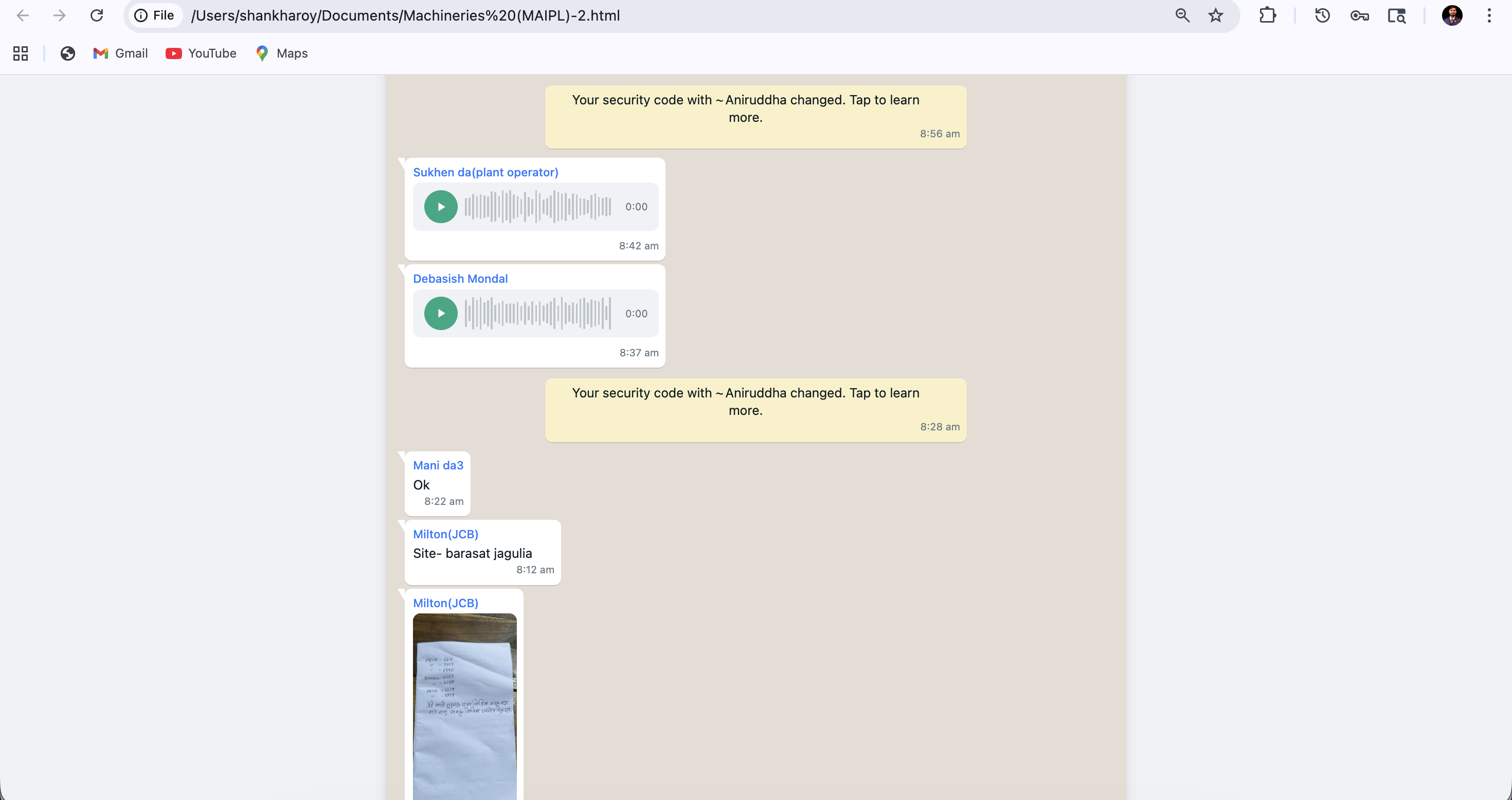
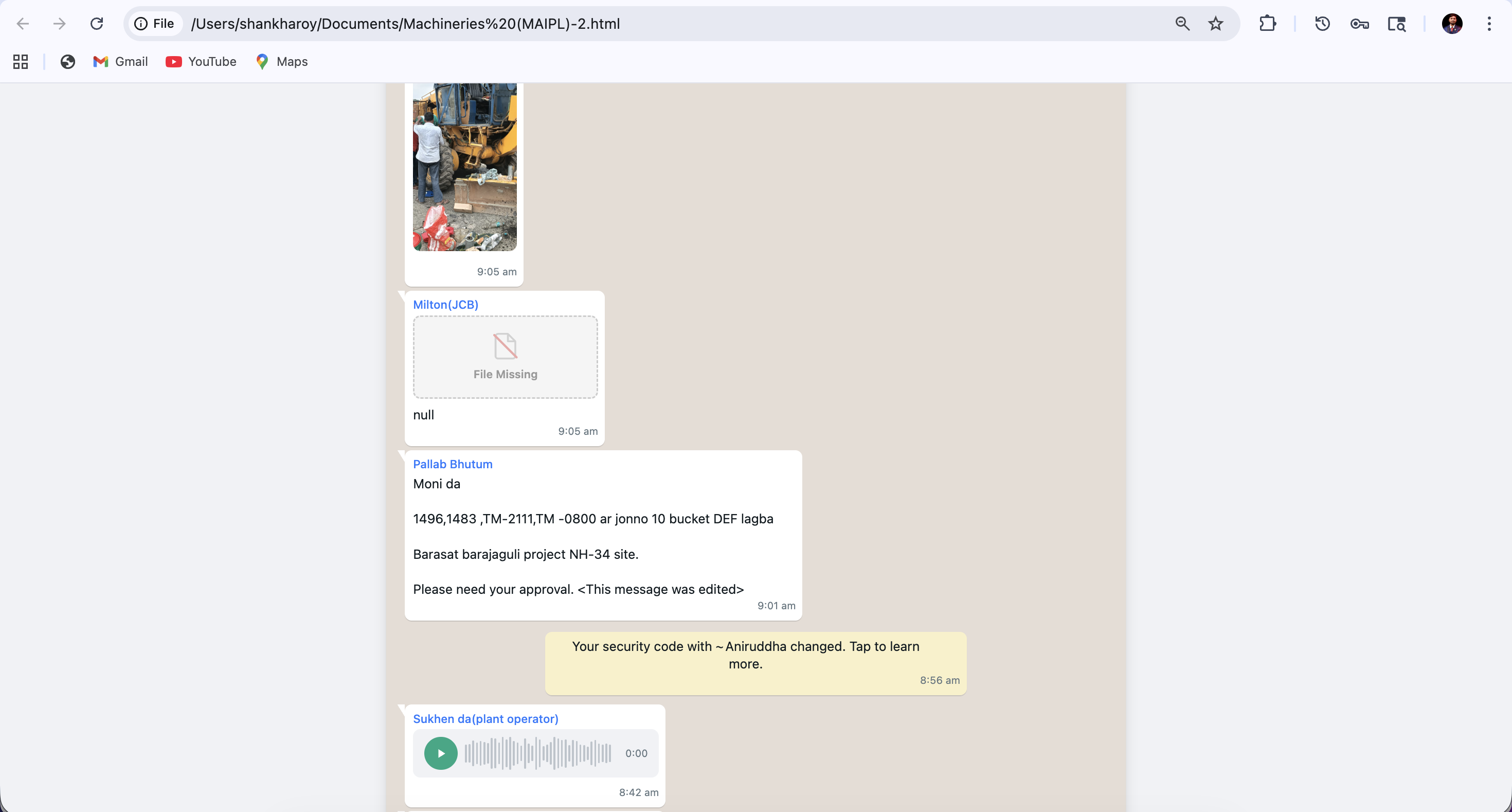
A standalone HTML file with a separate media folder. Open it in any browser — works offline forever. Great for desktop archiving.
HTML export
  • Opens in any browser
  • Offline-ready
  • Easy to share via email
Desktop Only
MHTML Export
One single file with ALL media embedded. Share it as one attachment. Works in any browser. Perfect for archiving years of photos and videos.
MHTML export
  • Single file, no media folder
  • Handles 2GB+ files efficiently
  • Never runs out of memory
Export Controls

Export exactly
what you need.

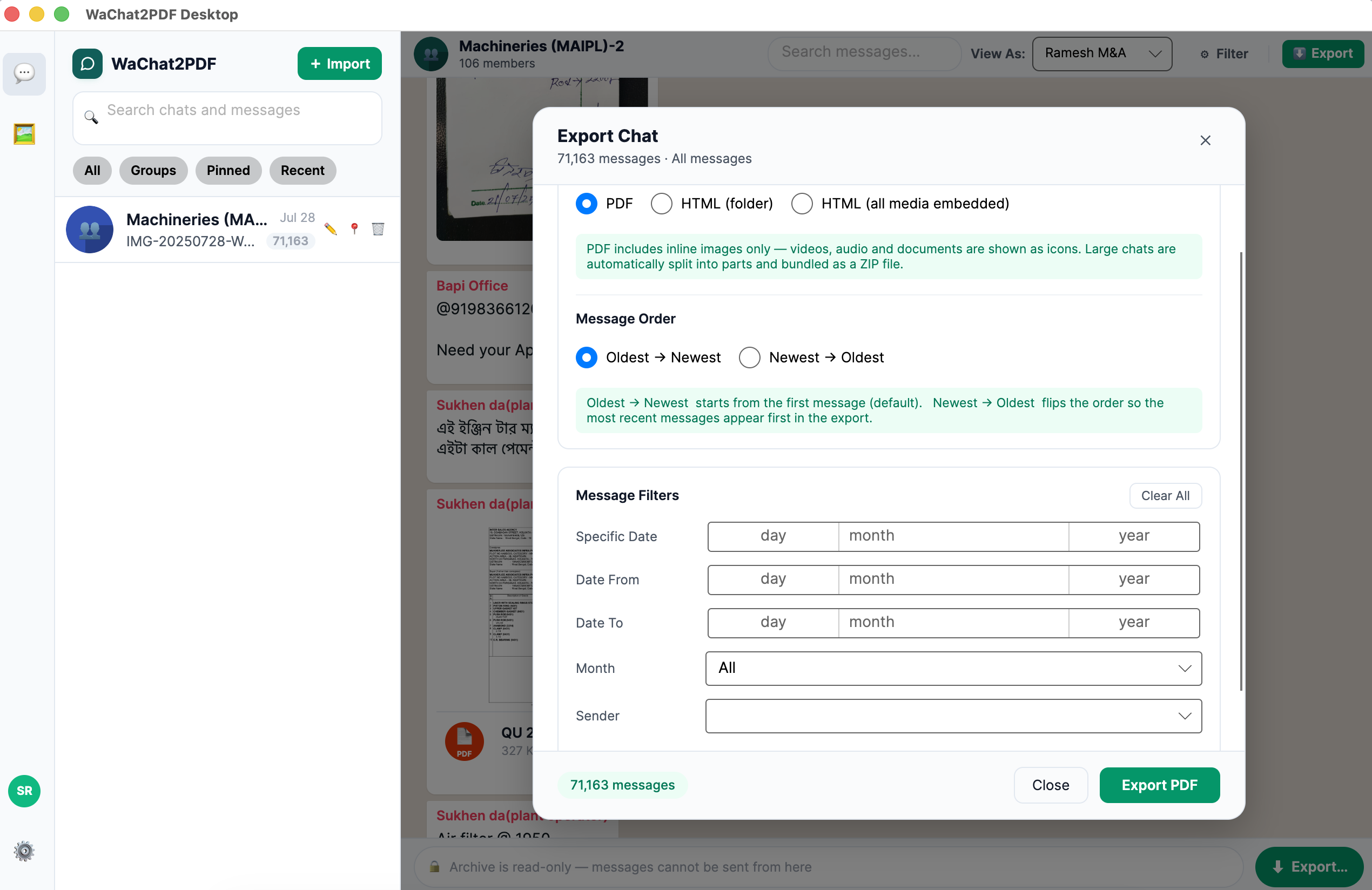
Every export respects the filters you set. Choose a date range, a specific month, a single participant, or media-only messages — then combine them with a sort order to produce a precise, targeted export in one click.

Message Sort Order
Choose whether exported messages read from Oldest → Newest or Newest → Oldest.
Oldest → Newest (default)
Newest → Oldest
Custom Date Range
Set a From and To date — only messages within that window are included in the export. Perfect for legal evidence or period reviews.
From
01 Jan 2024
To
31 Mar 2024
Specific Date
Pick one exact date from a date picker — exports only messages from that single day.
Date
22 Feb 2024
Filter by Month
Pick any month from a dropdown — only messages from that month are included in the export.
Jan 2024 Feb 2024 Mar 2024 Apr 2024 May 2024
Filter by Sender
In group chats, choose one participant from a dropdown — only their messages appear in the export.
Riya ✓ Amit Priya You
Media Messages Only
Toggle on to include only messages that contain a photo, video, voice note, or document — skipping pure text entirely.
Media messages only
All messages

Licensed feature. Trial mode exports the latest 300 messages with no filters applied. Activate your license to unlock all export filters and export unlimited messages.

Advanced export options
Pro Tip

Combine Date Range + Sender filter + Sort Order to produce a precisely targeted, court-ready export in one click.

Media Support

Every photo.
Every memory.

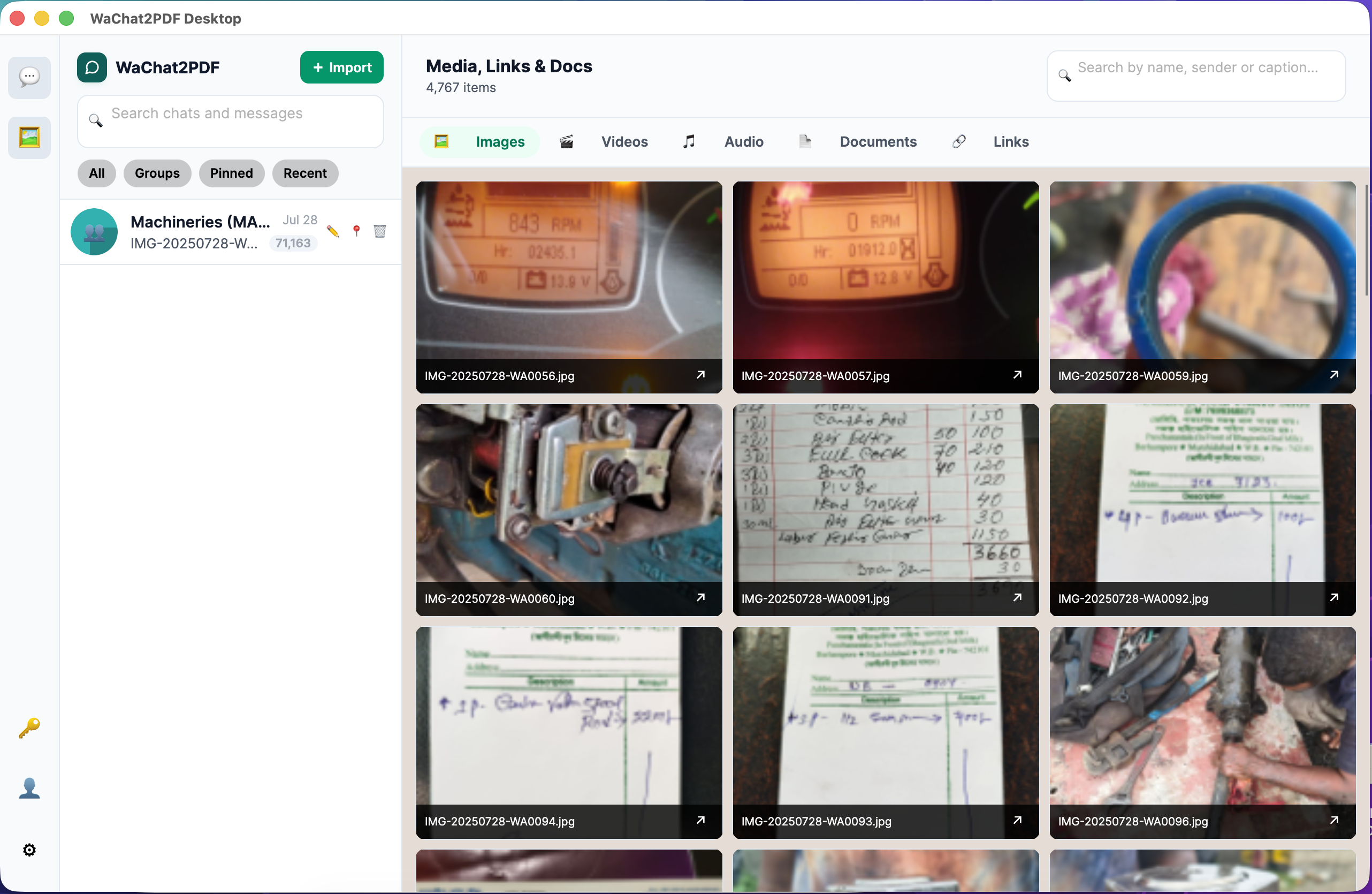
Photos, videos, voice messages, documents, GIFs, stickers — all rendered inline, right inside the chat. Tap any media to view it full screen.

Photos
Videos
Voice Notes
Documents
Stickers
GIFs
Media gallery
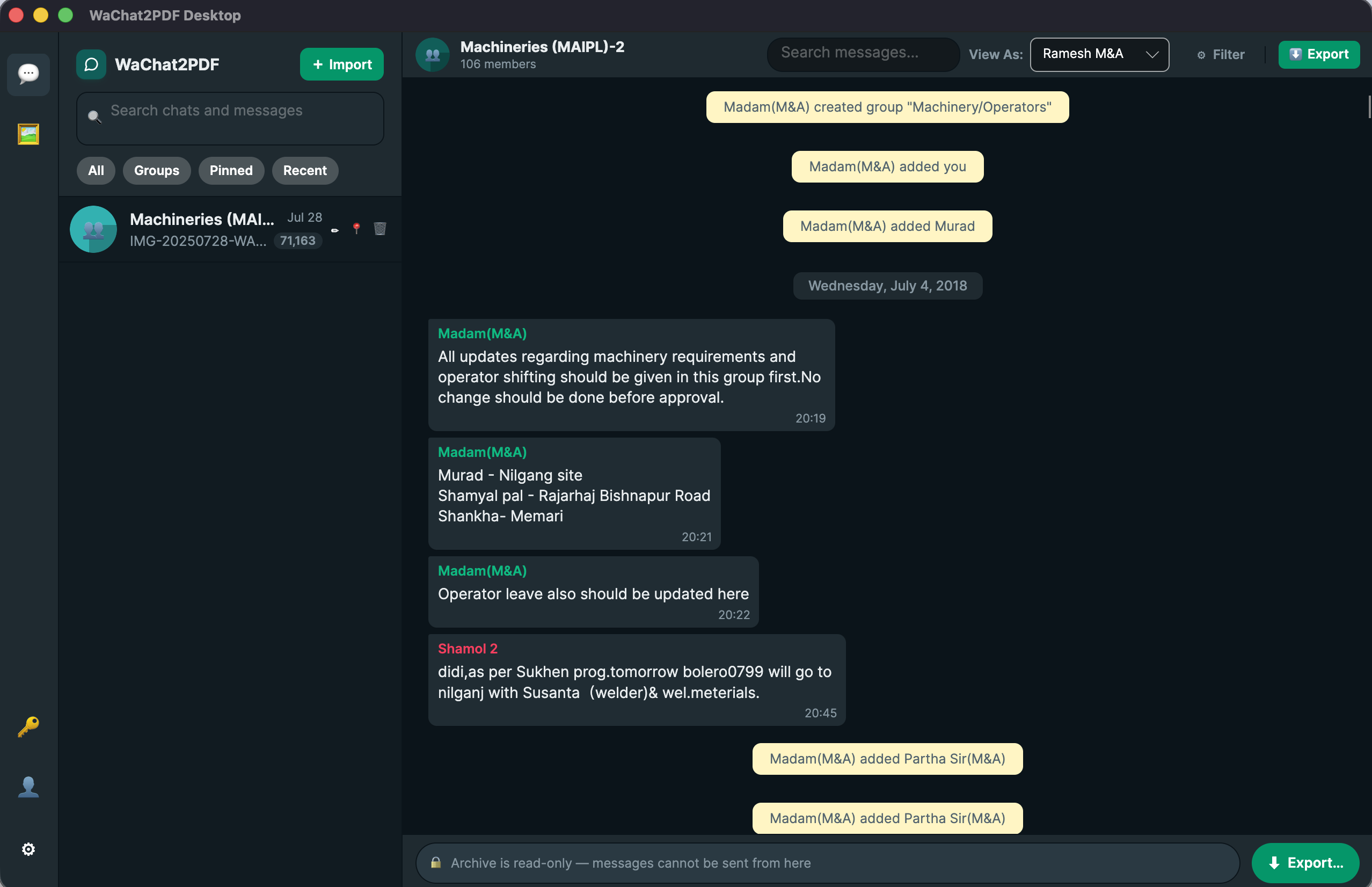
Dark mode
Dark Mode

Easy on your eyes.
Day or night.

WaChat2PDF Desktop includes WhatsApp's authentic dark mode — the same deep colors you see in the real app. Toggle between light and dark with a single click.

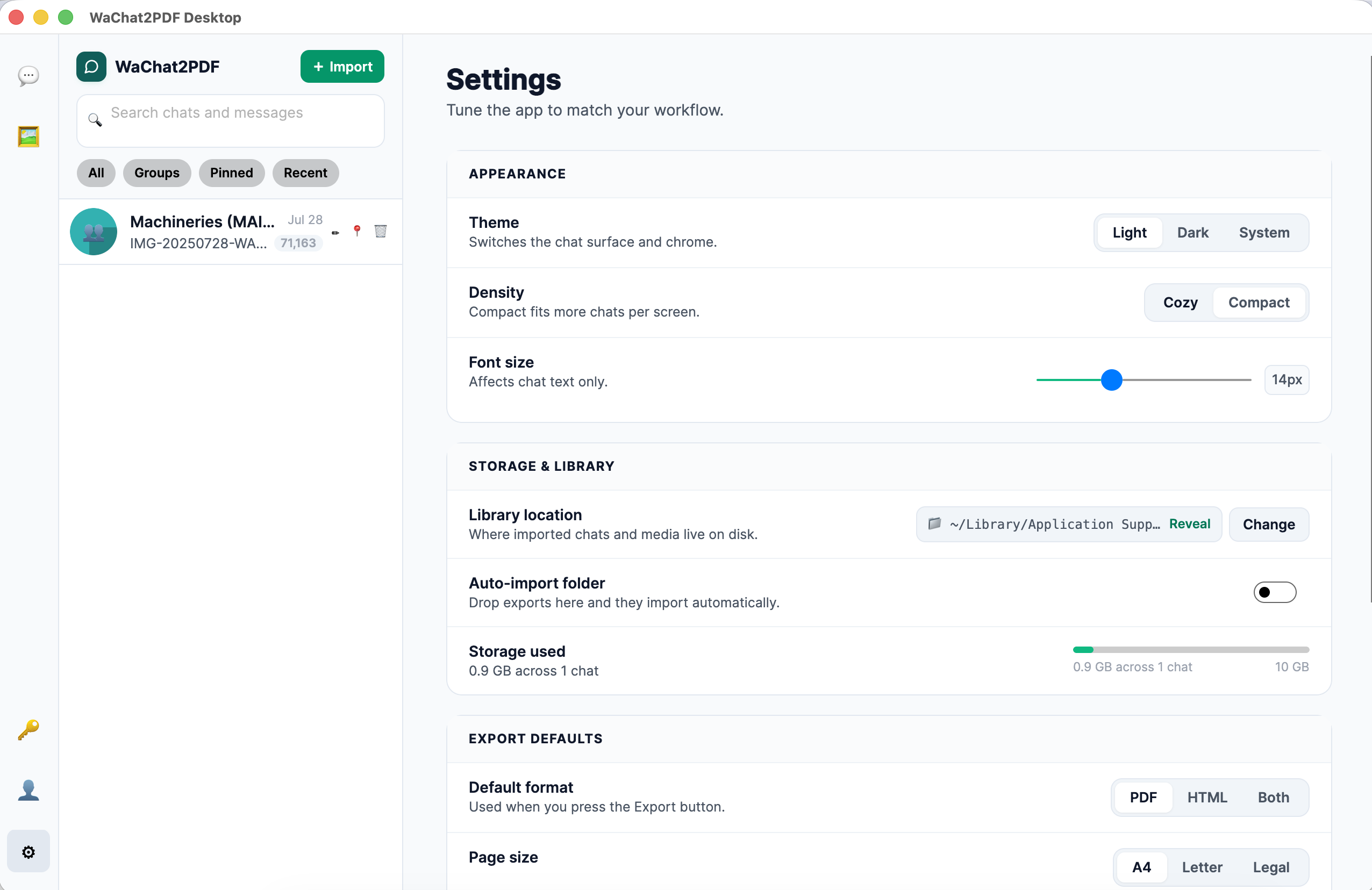
Appearance
Theme
Switches the chat surface and chrome
Light
Dark
System
Density
Compact fits more chats per screen
Cozy
Compact
Font size
Affects chat text only
15px
Storage & Library
Library location
Where imported chats and media live on disk
📁 ~/Documents/Wachat2PDF Reveal
Change
Auto-import folder
Drop exports here and they import automatically
Storage used
240 MB across 6 chats
240 MB used10 GB max
Export Defaults
Default format
Used when you press the Export button
PDF
HTML
Both
Page size
A4
Letter
Legal
Include media
Embeds images and voice notes inline
Chat View
Message display order
Latest — opens at newest, scroll up for older  ·  Oldest — opens at oldest, scroll down for newer
Latest
Oldest
Danger Zone
Factory Reset
Clears all imported chats, media, and settings from this device
Clear All Data
App Settings

Every preference,
fine-tuned.

WaChat2PDF Desktop gives you full control over how your chats look, how densely they're laid out, where your data is stored, and what happens every time you hit Export.

  • Message display order — Latest or Oldest first
    Latest opens the chat at the newest message (scroll up to see older ones). Oldest opens at the very first message (scroll down to see newer ones). Switch anytime from Settings.
  • Theme: Light, Dark & System
    Follows your OS dark-mode setting automatically, or you can lock it to light or dark manually.
  • Density & Font size
    Choose Cozy or Compact bubble spacing, and slide the font size between 12–18px for perfect readability.
  • Export defaults — set once, applied everywhere
    Pick your preferred format (PDF / HTML / Both), page size (A4 / Letter / Legal), and whether media is embedded — saved as your default for every future export.
  • Library location & Auto-import folder
    Change where chats are stored on disk (external drive, Dropbox, etc.) and optionally enable auto-import so any export you drop into a folder appears instantly.
  • Storage used & Factory Reset
    Monitor how much disk space your chat library uses (out of the 10 GB limit) and clear everything with one tap if you ever need a clean slate.
App settings panel
Search & Filters

Find any message,
in seconds.

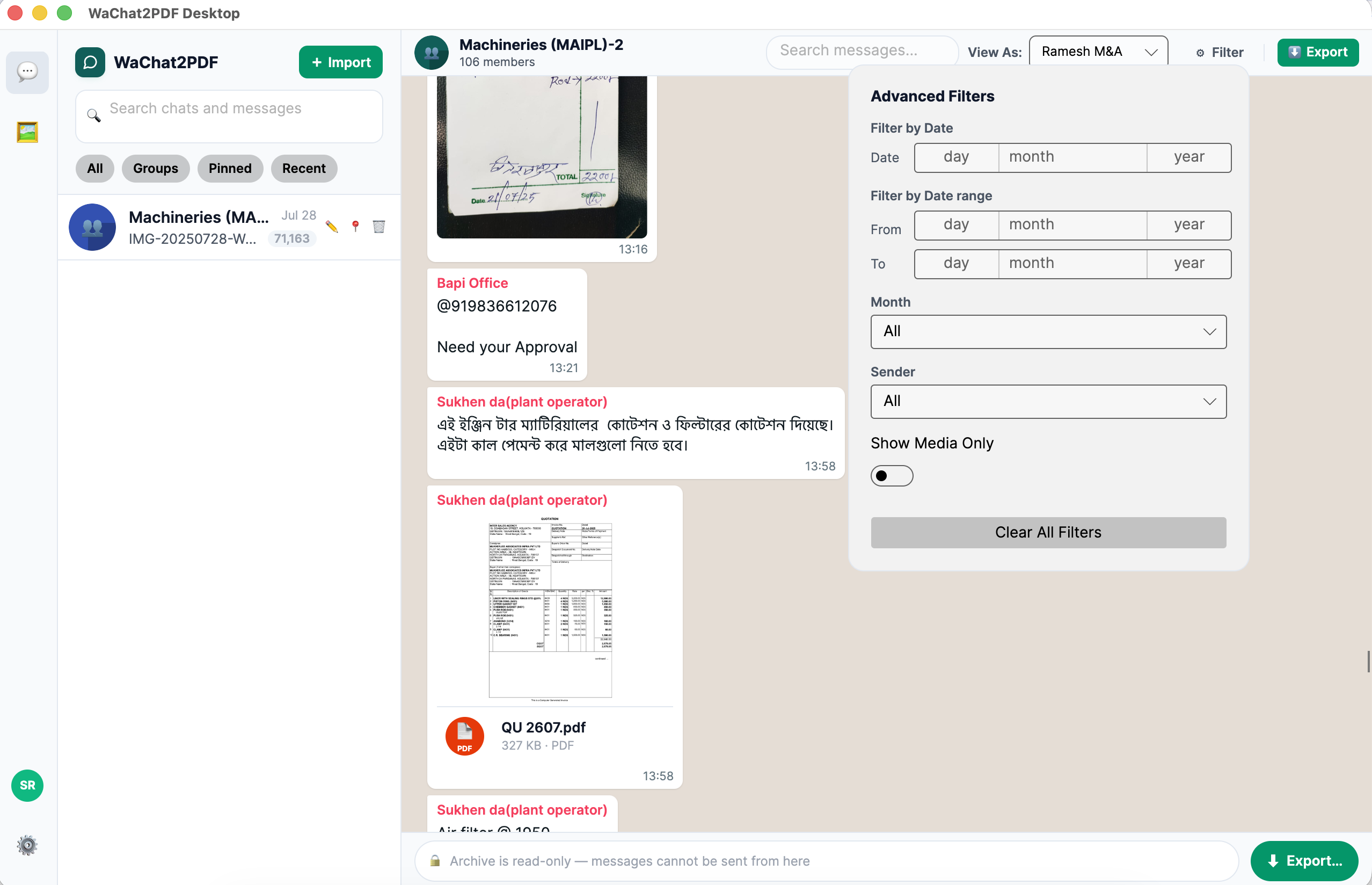
Every chat has a live text search bar and an advanced filter panel built right in. Narrow down by date, sender, or media — then export just those filtered messages.

In-chat text search
Searches current chat
Live as you type

Type any word or phrase into the search bar in the chat header — matching messages appear in real time.

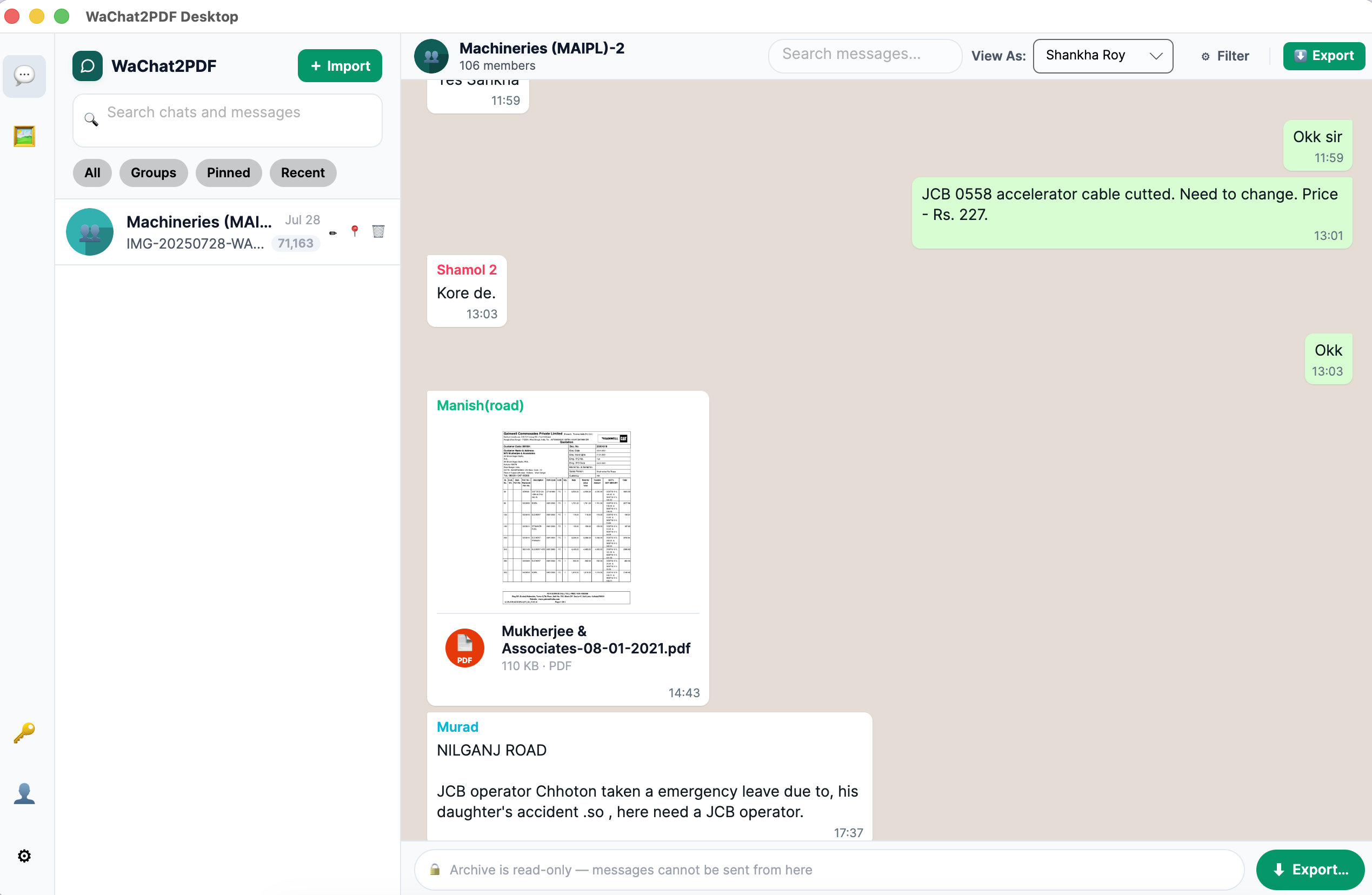
"View As" perspective
Switch who appears as "You"

Use the "View As" dropdown to choose which contact's messages appear as outgoing (green bubbles). Useful for group chats where any participant could be "you".

Advanced Filters Licensed
Specific date
Date range (From / To)
Month
By sender
Media only

Click the ⚙ Filter button in the chat header to open the filter flyout. Stack filters and clear them all with one tap. The export panel uses the same filters — so you can export exactly what you're viewing.

Sidebar search & tabs
Search by chat name
All
Groups
Pinned
Recent

The sidebar search box filters chats by name or last message. Tabs let you view all chats, groups only, pinned chats, or the 10 most recent — switching between them is instant.

WaChat2PDF Desktop
R
Riya — Work Chat
Archive · 4,218 messages
meeting
View As:
Riya ▾
⚙ Filter ●
Advanced Filters
Filter by Date
14 Feb 2024
Date From
01 Jan 2024
Date To
31 Mar 2024
Month
Feb 2024 ▾
Sender
Riya ▾
Show Media Only
Clear All Filters
Advanced filters require an activated license
Search and filter panel
Filters carry into export

The export panel uses the same filter state — so if you've filtered to one sender and a date range, pressing Export exports only those filtered messages. No need to set filters twice.

Privacy First

Your chats stay on your device.

We designed this app so your personal conversations never have to leave your computer. No cloud sync, no telemetry, no data collection. Just your chats, locally stored.

Stored Locally

All chats saved to your machine's local storage. Nothing leaves your device during viewing.

No Account Needed

Download, open, and use the app without signing up for anything. Just install and go.

Works Fully Offline

View all your chats without an internet connection. Internet is only needed when exporting to PDF.

Available On

Download for your
platform.

One purchase. Both platforms. Use it on your Mac at home and Windows at work.

macOS
macOS 11 Big Sur or later
App on macOS
  • Universal build (Intel + Apple Silicon)
  • Native macOS look & feel
  • Simple drag-to-Applications install
  • Automatic updates
Download for Mac
Most Popular
Windows
Windows 10 / 11 (64-bit)
App on Windows
  • Simple .exe installer
  • Works on Windows 10 & 11
  • Verified safe — 0/70+ threats on VirusTotal
  • Automatic updates
Download for Windows
Free trial available — no credit card required. View pricing →
🛡️ Windows SmartScreen — Installation Guide

Getting a Windows Security Warning?

WaChat2PDF Desktop is a new application and is not yet listed on the Microsoft Store. Windows Defender SmartScreen shows this warning for all newly released apps — it does not mean the file is harmful.

Follow these 2 simple steps to install:

STEP 1 — Click "More info"
Windows SmartScreen Step 1 — Click More info
STEP 2 — Click "Run anyway"
Windows SmartScreen Step 2 — Click Run anyway

Independently verified — 0 threats detected

Scanned by 70+ antivirus engines on VirusTotal. The installer is completely safe.

View VirusTotal Report
Lifetime License

Pay once.
Use forever.

No subscription. No monthly fees. One-time payment gives you a lifetime license for both Mac and Windows.

30-day money-back guarantee  ·  Available worldwide

Common Questions

Everything you need to know about WaChat2PDF Desktop.

How is the Desktop app different from the web app?
The desktop app saves all your chats locally so you can access them anytime without re-uploading. It also offers the exclusive MHTML export format, full offline viewing, and a native WhatsApp-like sidebar for managing multiple chats. The web app is great for one-time conversions; the desktop app is for people who regularly work with chat archives.
Does my chat data get uploaded to your servers?
For viewing, searching, and HTML/MHTML export — absolutely nothing leaves your device. Only when you choose to export to PDF does the app send your chat data to our secure cloud rendering API. We delete it immediately after generating the PDF.
Does it work with group chats?
Yes! WaChat2PDF Desktop handles both individual and group chats. In group chats, each sender is shown with a unique color, exactly like in WhatsApp. Group names and participant counts are displayed in the sidebar.
How large a chat file can it handle?
The app is engineered to handle massive archives — 100,000+ messages and ZIP files with thousands of media items. We use UI virtualization and memory-efficient streaming to ensure it never slows down or crashes, even on older hardware.
Can I use it on both Mac and Windows with one license?
Yes. A single lifetime license covers both macOS and Windows. Install it on up to 2 personal devices (one Mac + one Windows PC) at no extra cost.